Assign care
Caregivers, assistants and learners are assigned to the beds. The planning can be written back into connected systems.


Information from the OS Board becomes a common view of patients, responsibilities and processes. Digital Whiteboard is live and in daily use.
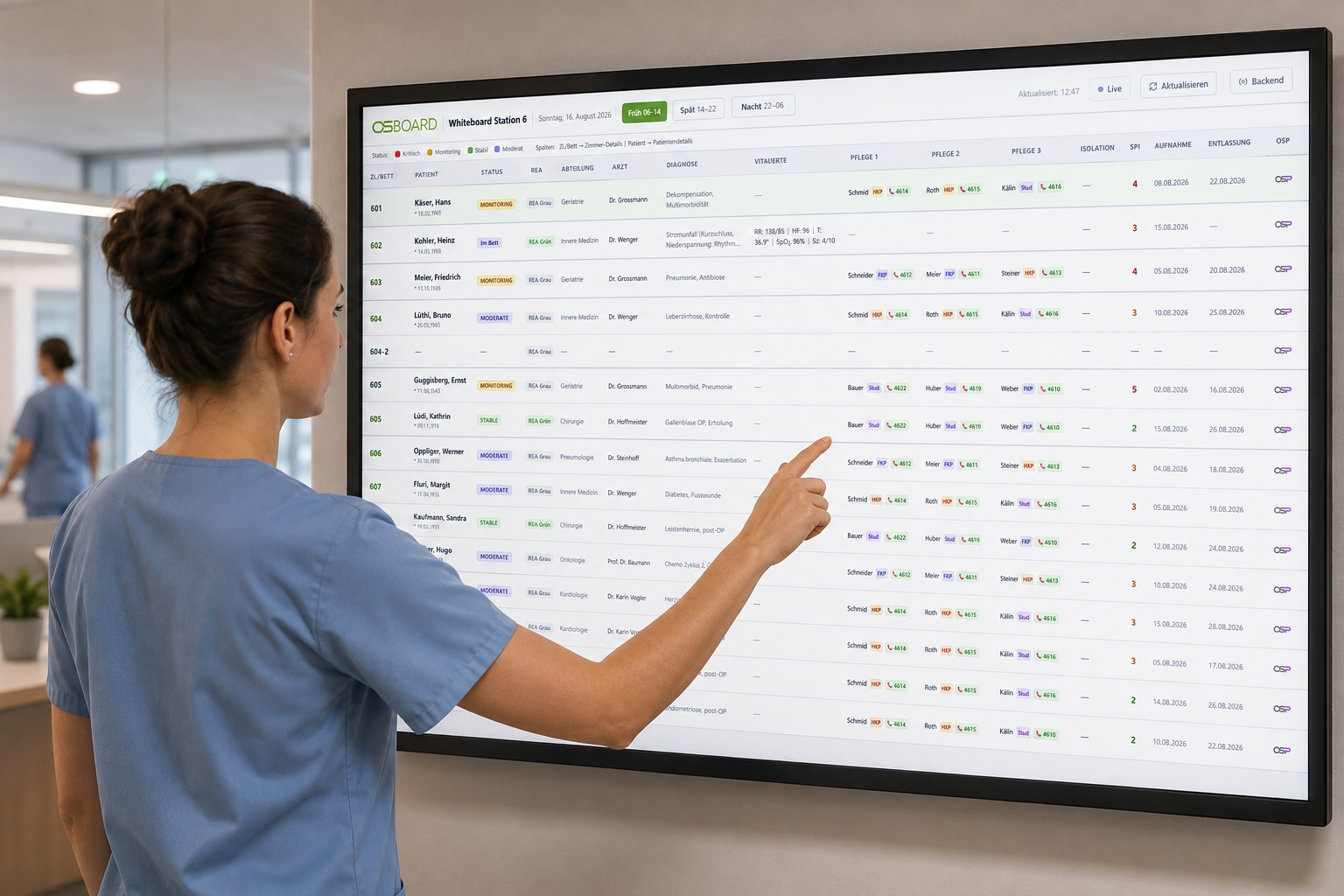 LIVE AND IN OPERATIONDIGITAL WHITEBOARD / THE STATION AT A GLANCE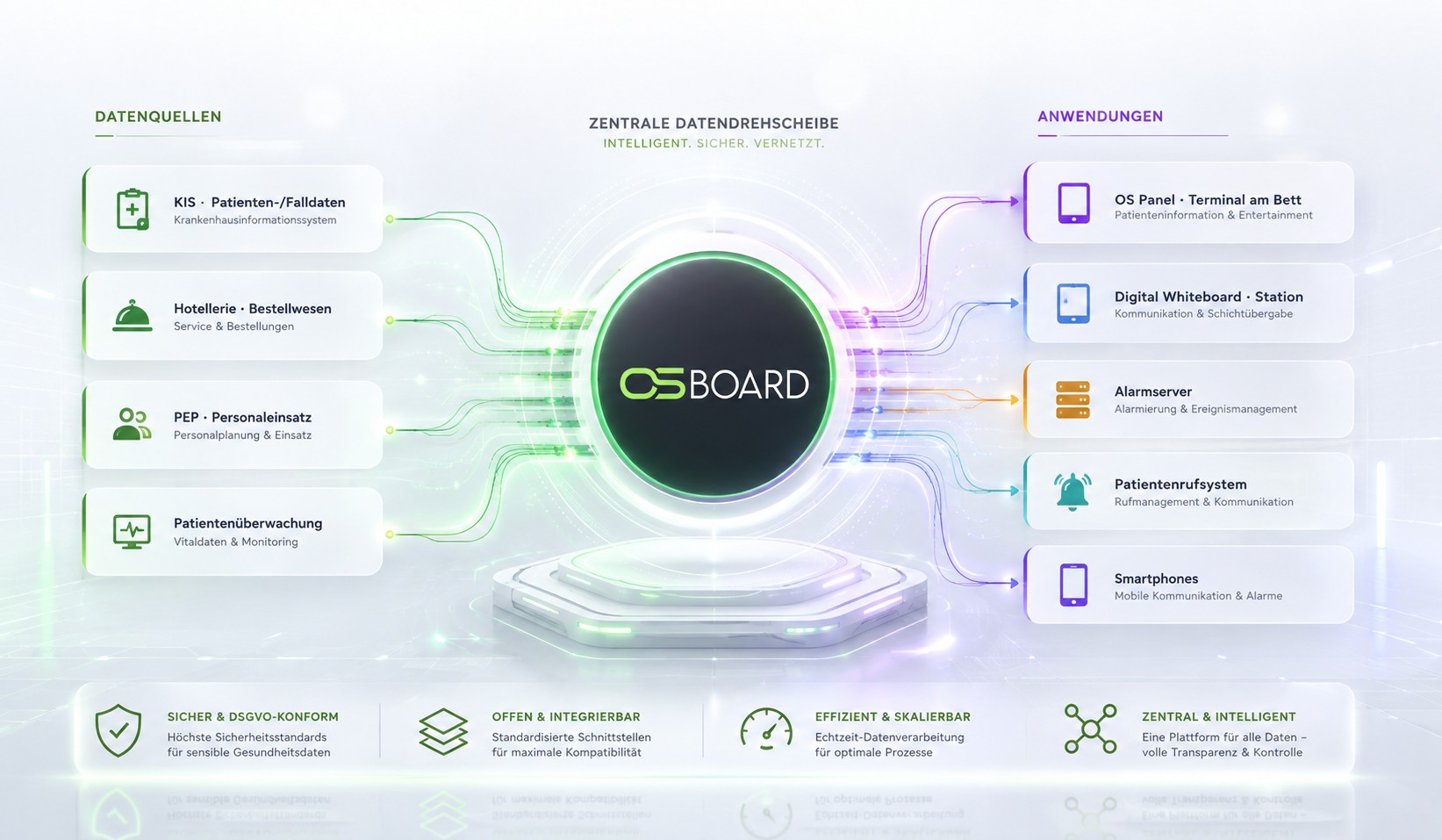
OS Board connects information from the hospital information system, hotel industry, personnel scheduling and monitoring. OS Panel, Digital Whiteboard and backend work with a common foundation.
Caregivers, assistants and learners are assigned to the beds. The planning can be written back into connected systems.
The treatment team appears on the OS Panel. Further details are protected by a PIN.
Smartphones are assigned per shift. Normal, emergency and REA calls reach the appropriate recipients via the alarm server.
Video calls can be started from the station overview - even in a Citrix environment.
Patient monitoring systems provide status information such as sitting, lying or fallen. Critical events are included in the alarm.
Roles and access rights, encrypted connections and logged processes support Swiss data storage.
The Digital Whiteboard brings patients, responsibilities and processes into a common browser overview. It replaces distributed wall plans and Excel lists by connecting to OS Board. Digital Whiteboard is live and in daily use.
The whiteboard brings the information to the ward. OS Board takes over the connections to HIS, call system, planning and other sources.
Call type, priority, presence and duration since the call from AQURA are assigned to the associated bed. A corridor display can also show the call in full.
With connected positioning, changes in location become visible, for example for physiotherapy. Without tracking, the location can be set by the team.
Hotel management, technology and cleaning appear at the room with their processing status. Expected entries and reported exits complete the situation picture.
Names can be hidden or blurred; Protected details are accessible via PIN. Roles and display scope are tailored to the ward and location.
An idea, a challenge, a concrete project.
We listen and think along.