Patient & senior emergency call
Security for clinics, psychiatry, care and support – the call for help reliably reaches the right person.


OS Alarming brings secure, standard-compliant alarming as a hosted service from the OS Infrastructure data center - without its own alarm server in-house, operated around the clock.
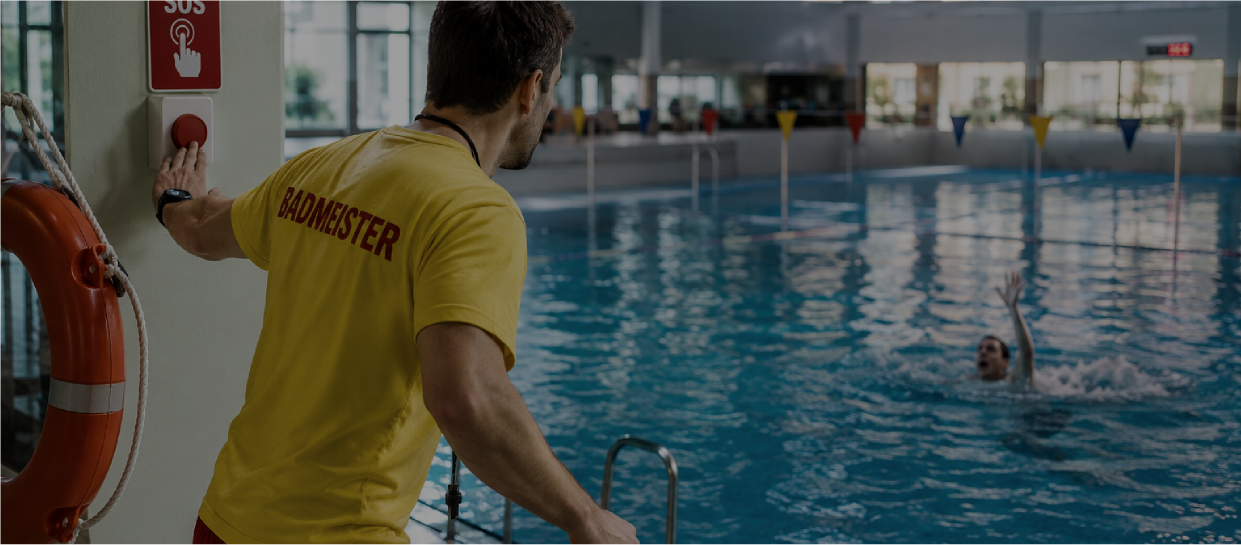 OS ALARMING / WHEN EVERY SECOND COUNTS · APPLICATION EXAMPLE / INDOOR & OUTDOOR POOLS
From the clinic to the production facility – OS Alarming covers the critical scenarios where seconds count.
Security for clinics, psychiatry, care and support – the call for help reliably reaches the right person.
Fault and incident management: System faults and technical alarms are escalated and acknowledged in a targeted manner.
Intuitive and unobtrusive – discreet activation for personal protection when every second counts.
Fire protection and evacuation: coordinated alarms and announcements so that everyone is safe in time.
Lifesaver in your pocket – dead man and situation alarm for employees who work alone.
Higher-level crisis communication and incident management in the event of cyberattacks, IT system failures and medical emergency situations - the right people are immediately in the picture.
An emergency call at the edge of the pool, working alone outside or a message from the technical center: OS Alarming connects the trigger, location and the responsible team.
A manual emergency call reaches the responsible team. Indoor positioning via beacon shows the assigned area in the building plan.

An emergency call device is only as secure as the system behind it. OS Alarming brings together nurse calls, emergency calls for threatened staff and the location of people in care into a communication hub - for clinics, psychiatric hospitals as well as nursing and dementia homes.

A fall, a heart attack, an accident on the machine – anyone who works alone needs special protection (and SUVA demands it). OS Alarming turns the smartphone into a security device: position and rest sensors detect the ability to work and trigger independently in an emergency.

Even a small disruption can have major financial consequences. OS Alarming monitors production systems, control systems and building automation in real time and transmits alarms fully automatically to the predefined group of people - the entire path from triggering to resolution is monitored and documented.
So that in the event of an emergency, the right action is taken – comprehensibly and seamlessly.
Manual or automatic – from emergency call button, sensor, system or interface.
Targeted to the right person, to the device they are currently working with.
No acknowledgment? Multi-level escalation to the next level until action is taken.
The entire process is logged – for proof, audit and optimization.
No matter what device your team works with – OS Alarming delivers reliably.
For OS Alarming, we use alarm management solutions from Novalink and Ascom. We choose the right technology together with you, taking your existing systems and team workflows into account.

Alarm management with Novalink – integrated into your environment and supported by Neutronix.

Alarm management with Ascom – integrated into your environment and supported by Neutronix.
The slim protocol gateway connects the fire alarm system, building management system, machines and third-party systems with your alarm. Data flows are configured as pipelines - buffered, monitored and logged seamlessly.
Input → Transform → Buffer → Output: Data flows configured in minutes, any number in parallel - with message buffer so that nothing is lost in the event of disruptions.
MQTT, HTTP/REST, OPC UA, Ascom OAP, email and novaalert – building technology, medical technology and alarm servers are cleanly connected, without individual software.
Health check per pipeline, active ping monitoring, live logs and long-term statistics - the status of each data flow is transparent and verifiable.
connector-io runs on-premise in your network or hosted from the OS-I data center. If desired, it can also control cloud services such as mass alarm platforms via webhook - you remain in control of alarm channels and data, and each target system remains interchangeable.
For smaller facilities
For hospitals & homes
Business-critical
Cover is always project-specific - we offer tailor-made products, without a shopping cart.
In the AQURA architecture, OS Alarming can provide messages from third-party systems. OS Board connects them with the other processes in the house.
Messages from fire alarm systems, building technology and control systems are transferred to OS Board with their location.
OS Board forwards the process to AQURA and/or to the ticket system after project configuration. Responsibility, priority and escalation are determined for this.
Acknowledgments from the app and ticket make the processing status visible on the board and hallway display. Timestamps can be evaluated in OS Logging.
An idea, a challenge, a concrete project.
We listen and think along.